From Idea to Victory: the 2026 Mistral AI Paris Hackathon
Everything started with a tweet. Things often start with a tweet.
On February 10th, 2026, Mistral AI announced a worldwide hackathon. I knew seats were limited, so I applied immediately, hoping to be selected, but with no idea what I would do, and not really knowing what I was getting myself into. Just letting myself be surprised by the adventure.
For the challenge
I've done a few hackathons before, like the Nuit de l'Info or more entrepreneurial ones, but the last one was years ago. I learned a lot from those experiences, and I'm sure they helped me grow technically. The first hackathon I did opened my eyes to web development, and I never left.
Today, I know a lot more about programming of course, but also more technologies, more about architecting a project, and more about splitting the work so I can have something working in a short amount of time.
In a hackathon, these skills are decisive: the wrong tech choice or the wrong split can completely ruin your chances of having a working project at the end. Having a working prototype (or proof-of-concept) is mandatory. The idea and how it's presented matter, of course, but without a working prototype, you won't even be able to present in front of a jury.
So I really see this hackathon as a great opportunity to challenge myself on these skills. Does everything I've been learning these last few years really help? Am I now able to ship more than a CRUD app in a hackathon?
At the same time, AI completely changed the game. Before, people who barely knew how to code didn't have much of a chance to win a hackathon. Now, everyone can build something with AI. Playing with code is becoming a convenience. But this also means that people who do know how to code can produce much more complex and interesting projects. So AI just raised the bar.
Don't get me wrong, software engineering isn't dead. At some point, without proper architecture, a clear understanding of the code and how to solve problems, and knowing which tool to use (and when), you won't finish the hackathon. Without any guardrails, AI is just a debt generator.
The Sunday before the hackathon, I received an email from Mistral AI with the subject "Registration approved". I was in! Still no idea and no team, but happy to be part of this, especially with a company like Mistral AI.
The adventure begins
The first step was finding a team. The hackathon started on February 28th, 2026. I received the acceptance email on February 22nd, so I had a week to do it.
Mistral opened a dedicated channel on their Discord server so participants could introduce themselves and find teammates. It took me a couple of days, but I finally introduced myself on Discord. I was the first one in the channel. Surprisingly, only three people (including me) introduced themselves.
Another channel was dedicated to finding teammates. I saw a message from someone named "Godefroy" saying they were two physics PhD students looking for a teammate with frontend skills and product experience. He also said they practiced vibe coding. I replied immediately: I was interested in joining them.
They already knew each other, so working with them would be easier. And bringing a strong software engineering background to the team felt like a good complement to their skills, their vibe-coding way of working, and their determination to produce the best project possible. Vibe coding in the right direction, using the perfect tools for the job, can make vibe coders insanely productive.
A couple of hours later, he sent me a Discord message explaining their project idea.
Then, we scheduled a call on Friday to discuss all the project ideas we had in mind and choose the one we wanted to work on. We (they) had a couple of ideas. We ended the call with a short list, and we decided to sleep on it and pick the final one before going to the hackathon. At this point, we were four on the team.
For the win
Until we heard the name of our project as the winner of the hackathon, we only had the goal to have fun and to learn.
Before arriving at the hackathon, we had a final discussion on WhatsApp about the project idea we wanted to work on. We chose a real-time system to debunk political TV shows. Way more complicated than it sounds, but we'll discuss the project later.
The hackathon, organized by Iterate, started at 9am on February 28th at Raise's offices in Paris, near Invalides. Breakfast was served, and we had the opportunity to meet the other participants (and our team) for the first time. This is where I met Emma and Godefroy, the two physics PhD students.
The introduction meeting was at 10am, so we had time to chat and get to know each other. The truth is: we were just eager to open our laptops and start hacking. This was also the moment the fourth member of the team decided to join another team. We were now three, but that didn't change our determination to produce the best project possible.
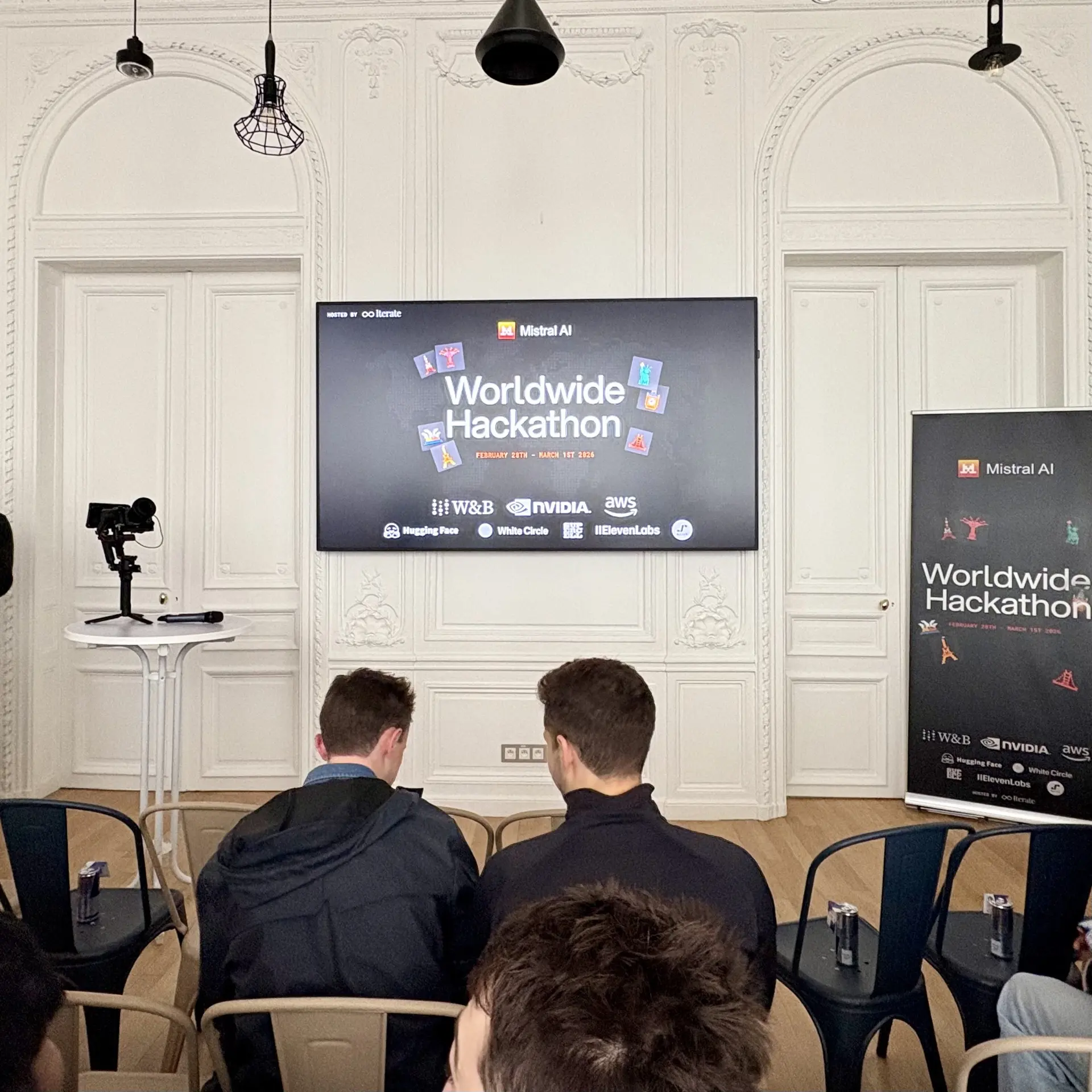
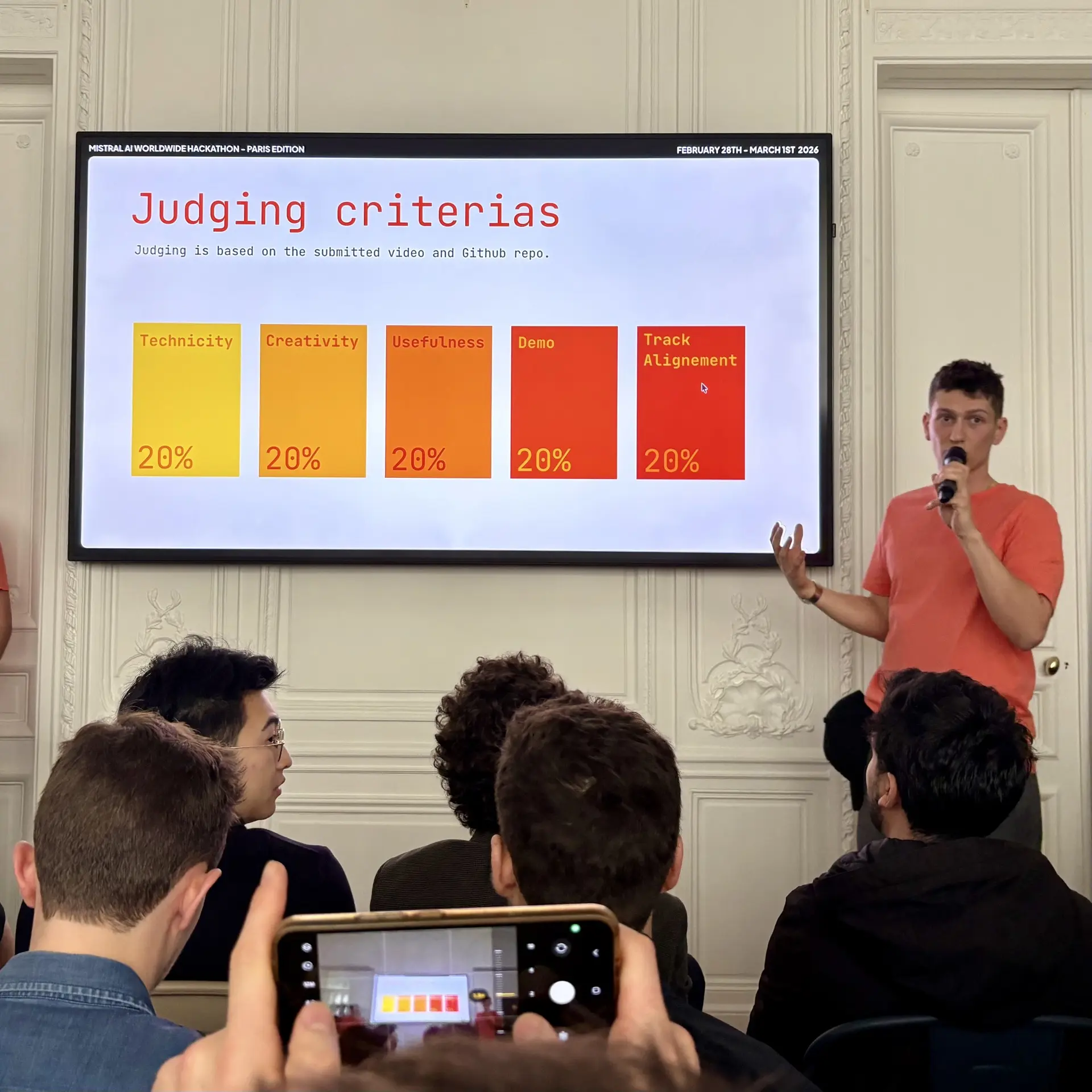
After an hour of presentations about the hackathon, the sponsor challenges, and the schedule for the weekend, we could finally go look for a place to work in the building. It was a bit chaotic because there were 100 participants and not much space, but we found a small table in the corner of a room. We spent the next 30 hours there, working on our project. We were ideally placed near the eating area, so we could tell when food was served and be first in line. No need to wait, just grab it and keep working.
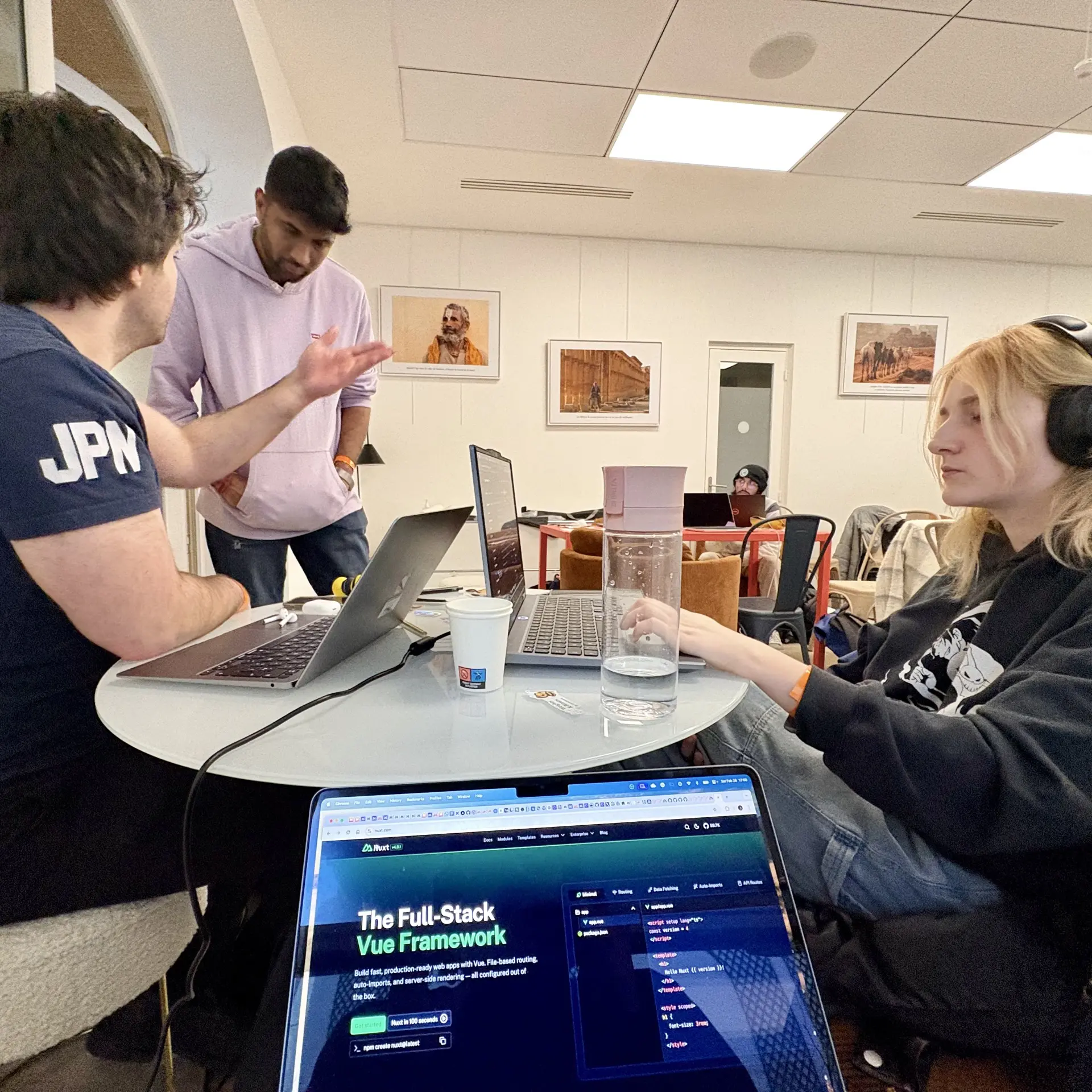
In the first few hours, we structured the project by defining the boundaries: what we wanted to do, how we wanted to do it, and when we would consider the project "finished". We also started splitting the work based on our initial understanding of the problem and our respective skills.
Then, we wrote code until the end of the day. Breaks were short and rare, we were really focused on making it work, and it was harder than we expected. Around 10pm, our brains were starting to get tired and irritated. Godefroy and Emma decided to go to sleep, and that was definitely a good idea. I took a long break and went to the kitchen to eat some pizza. A much-needed break before continuing to work on the project.
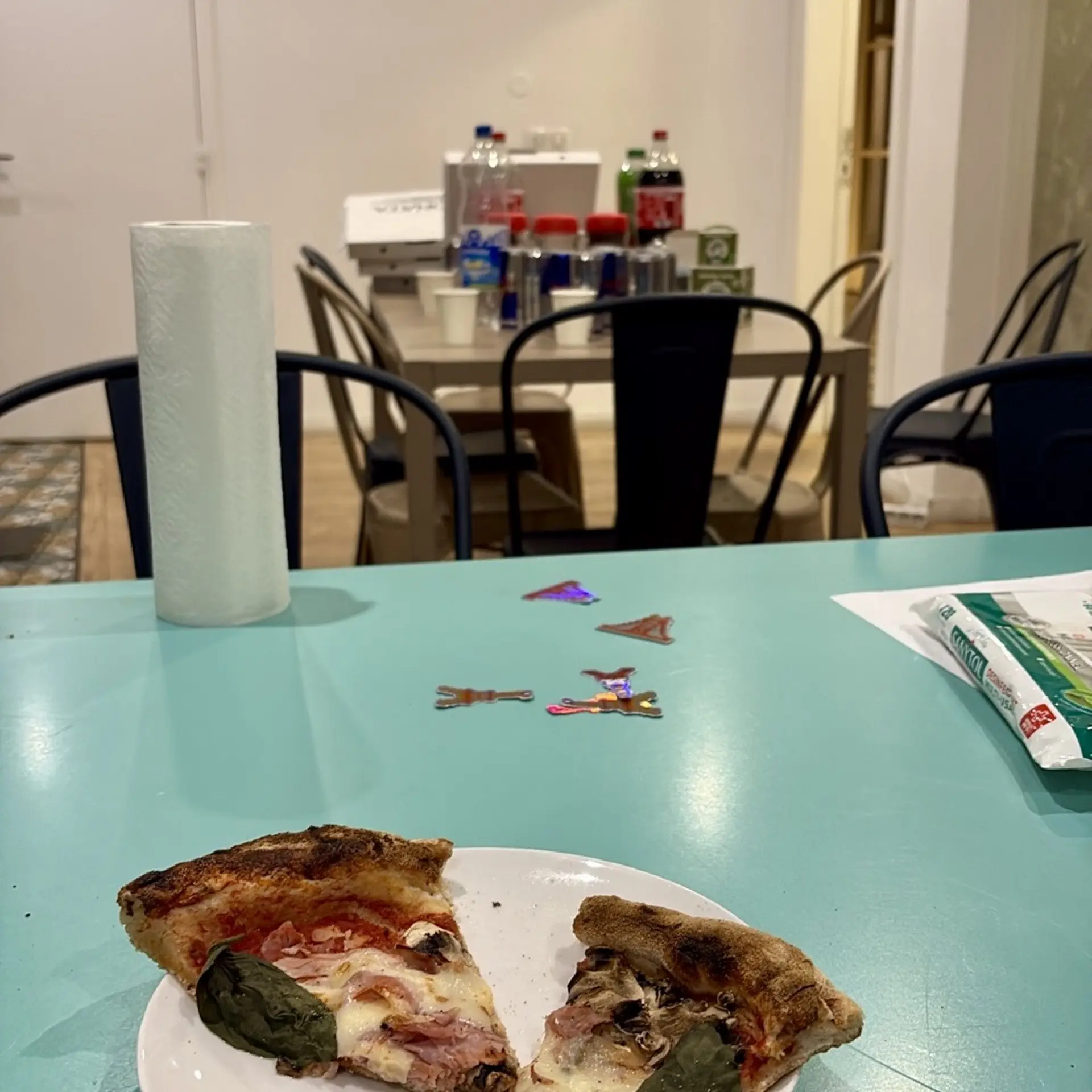
I continued to work on the project from 11pm to 1:30am. I refactored a lot of code, trying to simplify it and make it more robust, hoping it would work for the next day. I finally went home around 2am, just in time to catch the last metro. I wasn't really tired, caught up in the adrenaline of the hackathon, so I kept hacking until 6am. I took a nap until 8am, then went back to the hackathon for the second (and last) day.
We had until 3:30pm to finish the project, record a video to showcase it, and prepare the presentation for the jury. Honestly, that was a lot of work because we couldn't make all the components work together. Each part worked well on its own, but once assembled, it didn't work at all.
No choice: we had to make it work. Things started to work around 2:30pm. We filmed the video at 3:22pm, uploaded it at 3:28pm, and submitted the project at 3:29pm. Yes, one minute before the deadline. Business as usual in a hackathon.
We were really stressed, but we made it, and we were really proud to have something working at the end of the hackathon. We made it work! Thank you Godefroy for finding the final solution, and Emma for preparing both the submission and the presentation.
You think it was the end of the adventure? No! We had a presentation, unfinished, and the text wasn't ready. We only had 3 minutes to pitch our project in front of a jury of experts, and we had to do it in English. So, until we presented at 4:30pm, we polished the slides and prepared the live demo. Things went so fast that we didn't even have time to be nervous or stressed. Oh, and the live demo worked like a charm. No problem at all!
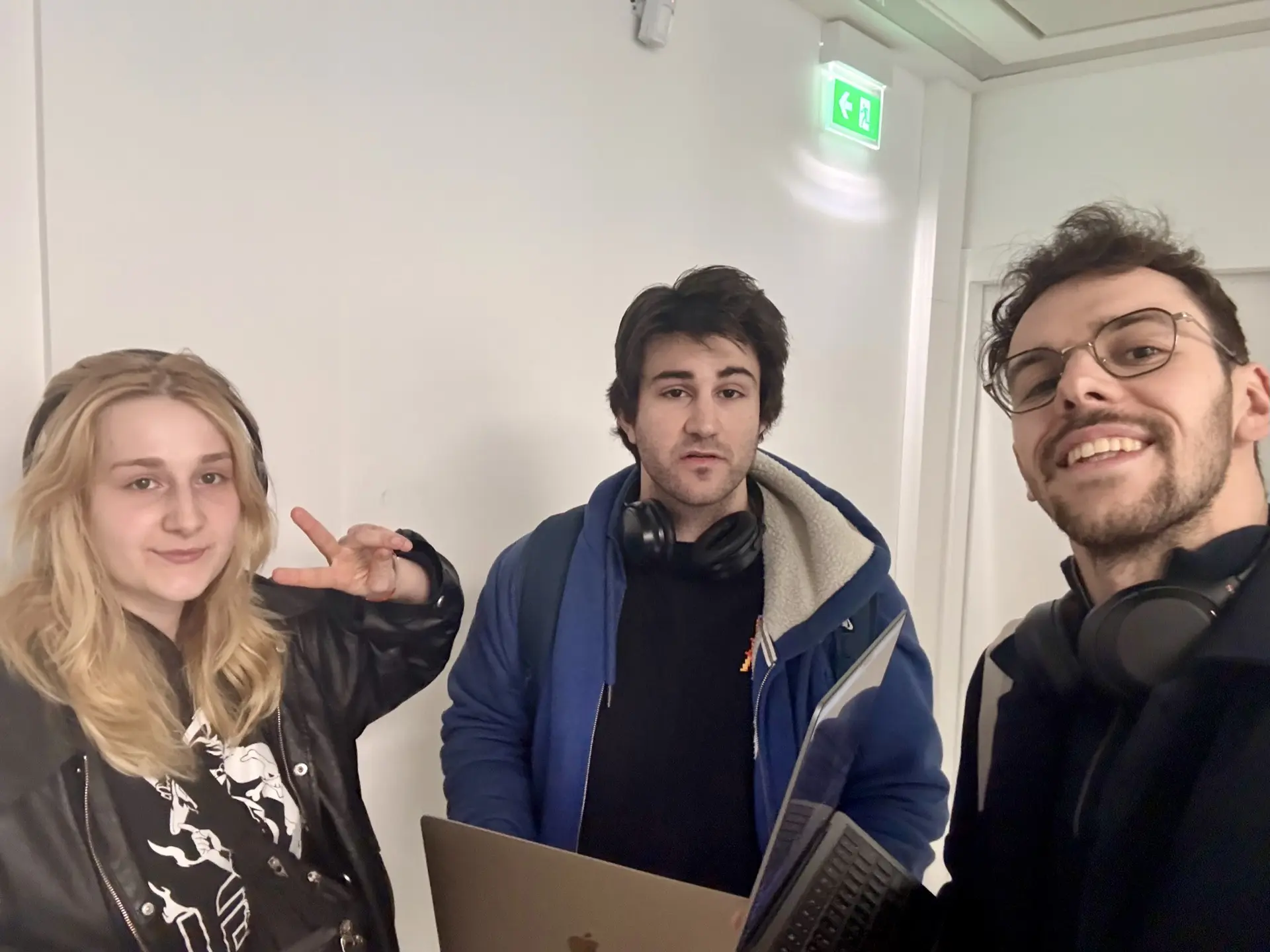
Three minutes is short, and we had a lot to say, but those are the rules. Choosing the right words to convince the jury that our project deserved to win. Huge thanks to Roland for being our timekeeper and for being kind and reassuring before the pitch.
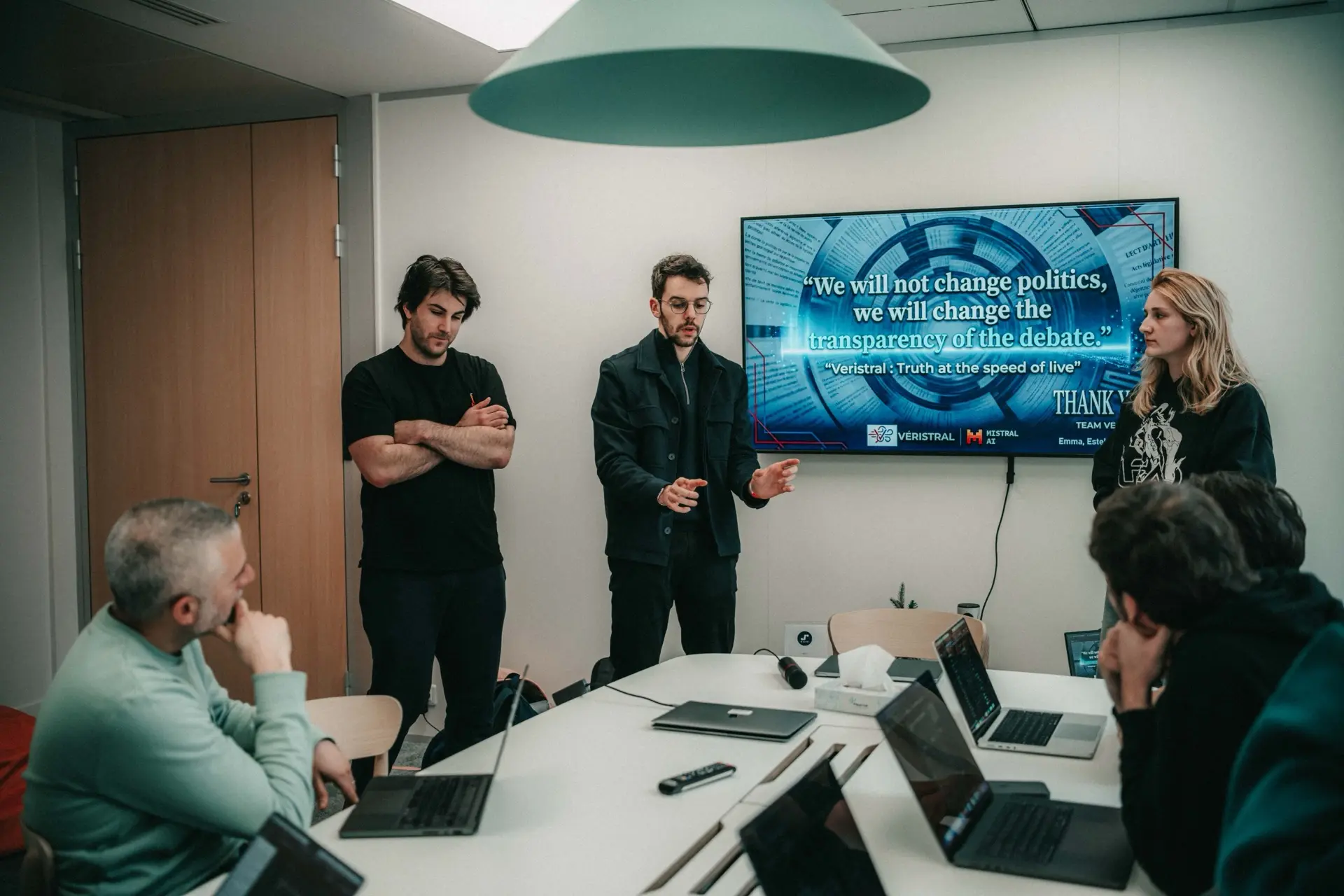
Thank you Sam for photos, and for the long discussion on Saturday afternoon!
Once every team had presented, all the participants went to a room to wait for the results. They announced 12 finalists who had to give a final presentation in front of the jury and all the participants. They announced the first name, then the second. It was us! Whoa, really? We were finalists? Unexpected, and maybe, just maybe, we had a chance to win this hackathon?
We pitched again in front of everyone as best we could, and once again, we waited for the results. We didn't do the live demo this time; we just presented the video.
Five minutes later, the jury announced the winner. They started by announcing third place, then second, and finally the winner. We heard the name of our project, and we couldn't believe it. We looked at each other, making sure we heard the same thing, and yeah, it was our team.
We won the 2026 Mistral AI Paris Hackathon! Unreal and unexpected! We did it! 🫶
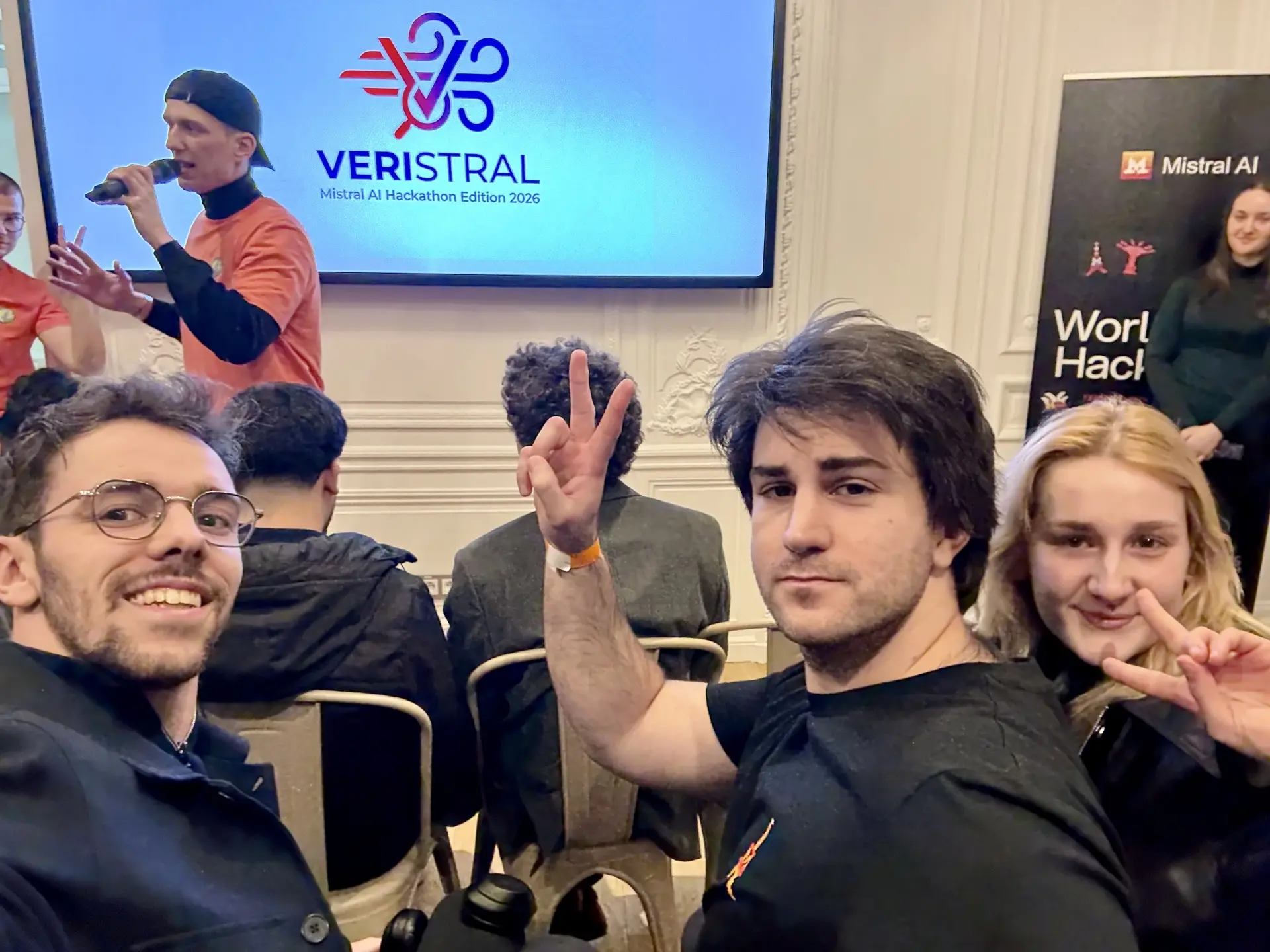
Now we're going to the international final next week! We'll have the opportunity to present our project live, in front of participants from all the hackathons, to try to win the worldwide prize.
An unbelievable adventure that started with a tweet, and ended with a victory. Really proud of the team, the project we built, and the way we worked together. Love hackathons!
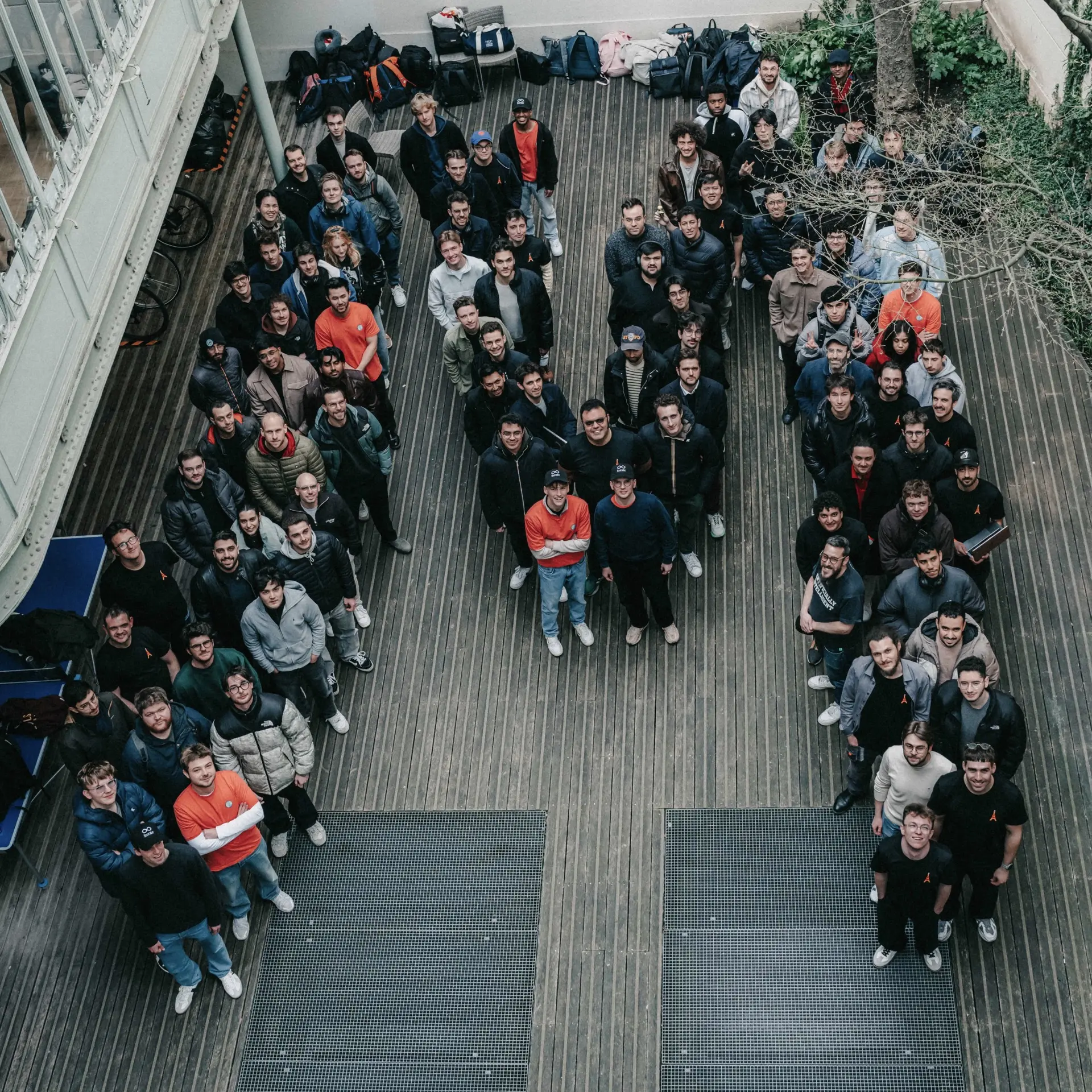
Now, it's time to rest a bit and prepare the next step.
Veristral
I talked a lot about the hackathon, the atmosphere, the schedule, and how we managed to make it work, but I haven't said a word about the project we built (and that won the hackathon). So, here it is.
The idea
Our idea was to build a real-time system to debunk political TV shows. We wanted to be able to display, during the show, while the presenter is talking, whether what they're saying is true or not, whether they're dodging the question, and whether they're contradicting themselves. Automatically, a pop-up would appear on the screen to bring additional information to viewers, help them understand the show better, and make up their own minds about what they're watching.
Fake news can be really harmful, and it spreads really fast, way faster than the truth. Sometimes, journalists debunk it later, even days after the show. Unfortunately, that's too late. The damage is done, and the debunking won't reach the same audience as the fake news. Fake news is a real threat to democracy, and it's part of how external powers can destabilize a country.
The real challenge was the real-time constraint. How, in a couple of milliseconds, can we analyze the presenter's speech, understand it, decide whether it's true or not, enrich it with additional information, and display it on screen? Honestly, it's impossible. For now, we don't have the technology to do it end-to-end.
Voxtral, Mistral AI's real-time speech-to-text (STT) model, was announced as sub-200ms, which is impressive, but then we still need to analyze the text, search for information, and send it back to the screen. We quickly hit the latency wall.
There's another issue. The presenter can say something and then correct themselves a couple of seconds later. If we display information as soon as we have it, we can end up with a really bad user experience, and completely discredit the system.
So we had to find another solution to have a real-time system.
The buffer to the rescue
Most live TV shows aren't actually live. They're delayed by a couple of seconds, and they have a delay buffer so they can cut the stream if something unexpected happens. This delay can be even higher. A problematic French TV show was forced to have a 45-minute buffer to edit the live stream in real time and remove problematic content before it was broadcast.
This teaches us two things:
- The concept of buffer between the live stream and the broadcast is already used in live TV shows.
- The buffer can be really long.
We can use this buffer for our real-time system. Imagine the following situation. At t0, the presenter is talking about something. The stream is delayed by 30 seconds, so viewers are actually watching what the presenter said at t-30s. During these 30 seconds, we can analyze the speech, understand it, decide whether it's true or not, enrich it with additional information, and send it back to the screen. At t+30s, viewers will see the information on screen at the same time as they hear the presenter talking about it. This way, we can have a real-time system without being limited by the technology.
From a workflow point of view, we have the following, simplified, architecture:
This buffer solution gives us a large window to analyze the presenter's speech and schedule the information to be displayed at the right time. We can even use the next sentences to improve context and cancel a fact-check if the presenter corrects themselves. That's really powerful and elegant.
You may have heard of AI systems to analyze and debunk TV shows before, but this has always been post-show analysis. Our system changes the game by being able to do it in real time and reach the same audience as the fake news. This is a real game-changer in the fight against fake news. If you're an AI provider or a media company, and you're interested in this project, please reach out to us.
Building the system
Building such a system in 30 hours is challenging. Without a demonstration, we won't be able to present in front of the jury, so we had to make it work at any cost.
The input of the system is the live stream of the TV show, more specifically, its audio. This audio is sent to a speech-to-text model to be transcribed into text. Then, a (somewhat) complex analysis pipeline starts to analyze the text, understand it, fact-check it, and enrich it with additional information. Finally, the information is sent to the overlay to be displayed on the screen at the right time.
Between the input and the output, we used two OBS instances to simulate a live broadcast environment. The first one captured the live stream (a single camera and a microphone in our case) with a 30-second delay to simulate the buffer. The second one captured the output of the first OBS and added the overlay to get a clean and nice design. This second OBS is the one controlled by the system to display information on screen at the right time.
We really struggle to find a way to simulate the live stream with a buffer. On MacOS, starting OBS twice doesn't work. Using open -n -a OBS.app to start a second instance works, but the second instance was really buggy. To make them communicate, I tried to use MediaMTX, even FFMpeg, with all the possible broadcast formats, but OBS was successfully recalling the stream from the first OBS without any delay. OBS was too smart for us. Finally, we found a workaround by streaming to Internet from a first computer with a 30 seconds delay and capturing this stream on another computer. we had a little more of 30 seconds of delay due to the network and processing time, so we had to adjust our scheduling system.
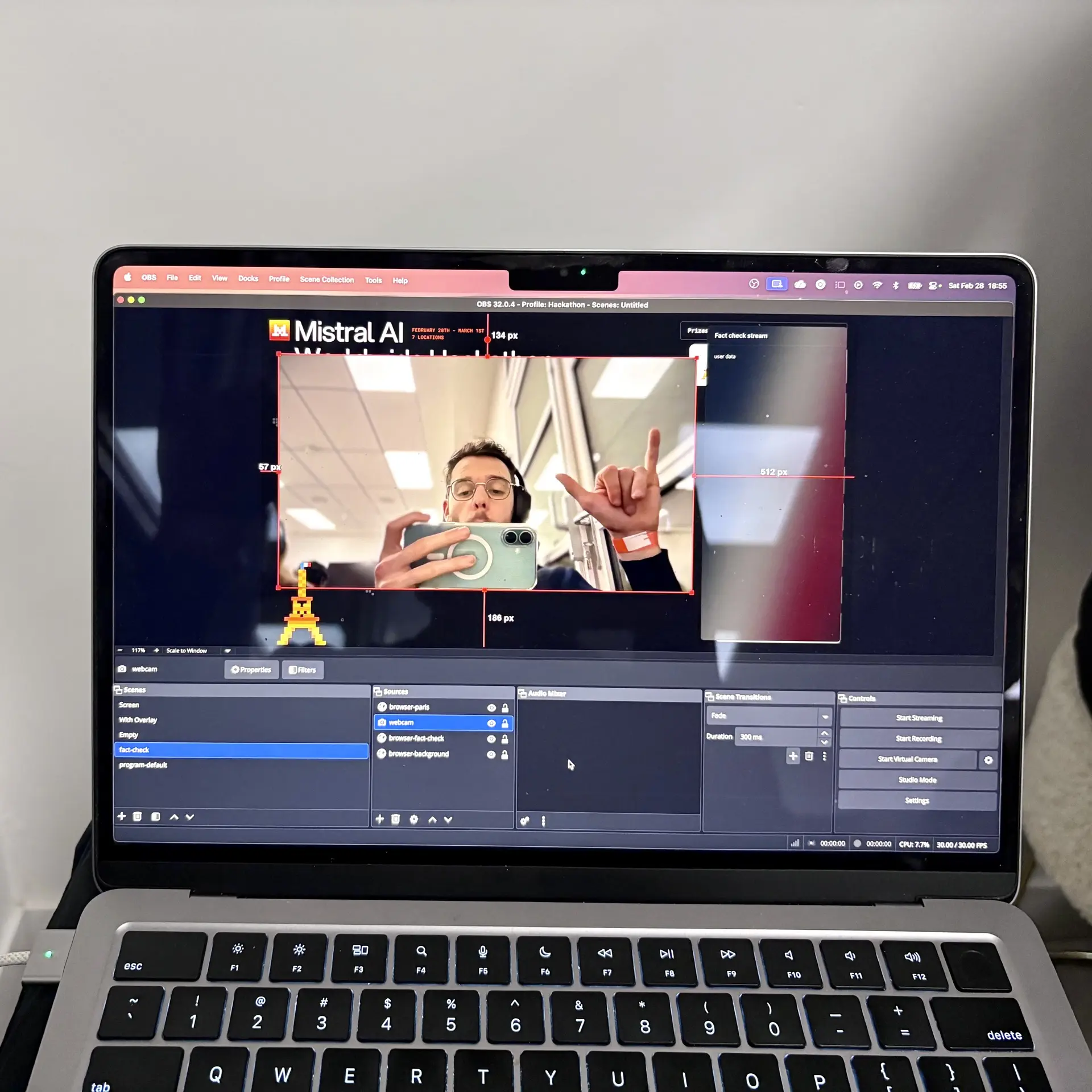
Looks like an instable setup but it worked!
Things are going to become technical now, feel free to skip this part if you're not interested in the technical details.
For speech-to-text, we used Mistral AI models, specifically Voxtral Realtime, released a couple of weeks before the hackathon. We waited until we had a complete sentence before starting the analysis. This part could be improved a lot: we could have a more intelligent system, and we could keep more than one sentence to get more context.
For the hackathon, we just added a step to sanitize the text, because speech-to-text can make mistakes. The more you reduce the delay, the less accurate the transcription is.
For the analysis pipeline, we used a combination of different Mistral AI models assembled in a way to have a workflow.
Everything starts with a router agent that receives sentences. This router analyzes them and determines which agents to call next using structured output. This allows us to have a dynamic workflow that can adapt to the content of each sentence.
The following agents are the ones that can run after the router:
- Stats Agent: this agent is called if the sentence contains some numbers, like a budget, a percentage, or any quantification. This agent will try to verify if the numbers are correct and to find the source of these numbers.
- Rhetoric Agent: this agent is called if the sentence contains a question. It will analyze if the presenter is trying to escape the question, and if yes, it will try to find the question that is being evaded and to find the answer to this question.
- Personal Coherence Agent: this agent is called if the sentence contains a declaration that can be verified by looking at the previous declarations of the presenter. It will analyze if the presenter is coherent with himself, or if he contradicts himself.
- Context Agent: this agent is called if the sentence contains a declaration about an event, a law, or any contextual information that can be verified. It will try to find the relevant information about this declaration, and to verify if it's correct or not.
Both the Stats Agent and the Context Agent had access to the internet via a web search tool, so they could find relevant information to verify the presenter's claims.
Then, all these agents' outputs (depending on which ones are called) are aggregated in an Editor Agent. This agent writes a readable, understandable text for viewers. Its output is also structured, and it's what we rendered in OBS via the web overlay.
Honestly, this is a very simple pipeline. It worked well for the hackathon, but in a real-world product, it should be a lot more complex, with more agents and more features. For example, we explored a system where the workflow waits for a signal before going to sleep. That signal would be sent by the STT some time after the initial sentence to provide more context, and to determine whether the presenter corrects themselves or not.
This is part of a Temporal workflow. Once done, we instruct Temporal to sleep until the right time to display the information on screen. We know that time because we know t0 (the moment right before the STT responds with a sentence) and the size of the buffer. For example, if t0 is 14:15:13, we know the workflow has to sleep until 14:15:43. No matter how long the analysis takes, the information will be displayed at the right time.
Before sleeping, we check whether the current time is still before the scheduled time; if not, we discard the information because it's too late to display. Once the workflow wakes up, it sends the information to another dedicated application.
Temporal allows us to parallelize the analysis without complexity, and to schedule information to be displayed at the right time without dealing with a database and a custom scheduler. This could have been done using task scheduling in Laravel, but Emma and Godefroy were more familiar with Python. Another advantage of Temporal (and the "trigger a workflow" approach) is that we completely decouple analysis from scheduling.
The interface between Godefroy, who was working on STT, and Emma, who was working on the analysis, was Temporal: a well-documented and robust system. No need to reinvent the wheel, and that's really important in a hackathon to save time and avoid blocking bugs.
To control the second OBS, I built a Laravel application. This application has an endpoint that receives the information to be displayed from the Temporal workflow. Then, it sends the new data to the frontend using Reverb (Laravel's WebSocket system). Finally, the endpoint triggers a scene change in the second OBS to display the information on screen.
You may struggle to understand that part. OBS is software for live streaming. You have scenes where you can stack different sources, like a camera, a screen capture, or a browser source. The last one is really interesting because it lets us use a web page as a source in OBS.
So, the application I built contains both the backend (to receive the information and send it to the frontend) and a frontend that listens to the WebSocket and updates the content of the web page. This frontend is integrated into the second OBS as a browser source with a transparent background, so you can still see the presenter behind it. We had two scenes in the second OBS: one with a large camera source to show the presenter when there was no information to display, and one with a smaller camera source to make room for the information on screen.
From a deeper point of view, the whole system looks like this:
All our source code is available on GitHub: Barbapapazes/hackathon-paris
Quick note on Temporal
Temporal might seem overkill, but it saved our project. Take some time to find a solution to our parallelizing and scheduling problem without Temporal, and you'll quickly realize how complicated it is to build a robust scheduling system that scales. With Temporal, it just works.
We used it for two reasons:
- Temporal organized a meetup in Paris on November 5th, 2025, and I attended it. One of the talks was "Combining Temporal's durability with streaming of LLM responses using NATS Jetstream" by Nicolas Moreau, software engineer at Mistral AI.
- Scheduling, or waiting for a specific time to do something, is really a workflow thing. Temporal is a workflow engine.
These two points were enough for me to decide to use Temporal. If we use the same technology as Mistral AI, maybe it will make the project easier to understand and feel more interesting and realistic for the jury. I don't know how this influenced the jury's perception, but we talked about it with some Mistral AI engineers who were present.
At work, we use Temporal in our backend infrastructure. This is so powerful that I put everything I can in Temporal.
For personal projects, I'm mostly using Cloudflare Workflows. Under the hood, it's really different, but from a usage point of view, it feels the same. Once you have the power of a workflow, everything in your life becomes a workflow. The funny thing is that I'm currently automating my life, mostly using Cloudflare Workflows, so using them during the hackathon was natural for me.
Going to the real world
Trusting the system from the beginning could be really hard, so we could easily imagine a setup where the system does most of the job, with a human in the loop to validate, verify, and correct the information before it's displayed on screen. This is a feasible solution as a first step.
But a fully autonomous system is the real goal because removing the human in the loop, especially in political shows, is really important to reduce bias and to make sure all political parties are treated the same way.
Now that the hackathon is over, there are so many things we can do to keep improving the project, and I heard from reliable sources that Mistral AI was interested, and maybe even building a similar system.
We went a little further during the hackathon, but we couldn't make it work. We started building a system that collects everything we fact-checked during the live show and makes it available on a centralized website. That way, viewers could just scan a QR code on the screen to access the full fact-check, since space is limited on the overlay.
About the extensive use of AI
During the two days of the hackathon, we extensively used AI to write code.
Emma mainly relied on Gemini Pro through its chat UI to write code, while Godefroy used both Gemini Pro through Antigravity and the chat, and Codex from OpenAI. For my part, I used GitHub Copilot Pro through VS Code, and I mainly used Sonnet 4.6 and GPT-5.3-Codex.
Even with its paid plan, Emma reached the limit of Gemini Pro, and she had to wait a couple of hours before being able to use it again. Godefroy had to alternate between Antigravity and Codex to avoid reaching the limit of one of them. With GitHub Copilot Pro, there is no hard limit since we pay per request. To give you an idea, I made 94 requests in a weekend. The Pro plan includes 300 requests per month, so I burned through about a third of the monthly limit in a weekend.
It's interesting to see how we each used AI differently. Emma used a Jupyter notebook to write the debunking algorithm. She alternated between asking Gemini Pro via chat and copy/pasting the code into the notebook. Godefroy used Antigravity Agent or Codex to directly edit and commit code. It was a very vibe-coding way of working.
For both of them, I was really impressed by the speed at which they generated working code. Even to set up OBS, Godefroy asked Gemini Pro how to do it, and in a couple of minutes, he had a working configuration.
However, as I mentioned at the beginning of the article, without understanding the code, clear organization, and a well-structured project, things become a mess really quickly. And then restructuring the code to make it cleaner, extensible, and robust becomes a nightmare.
I've spent a lot of time between Saturday and Sunday refactoring both the debunking algorithm and the workflow code to make it more robust for upcoming features.
With AI, losing control of the code is really easy. Is it bad? I still don't know.
Maybe we're just creating a higher-level abstraction above code, where we don't care about the implementation details. Maybe it's okay most of the time. Maybe it's the worst abstraction, and code as a commodity is an illusion for non-software engineers.
One thing I'm pretty sure about, though: creating complex applications still requires good architecture, the ability to split complex problems into smaller ones (adapted to AI capabilities, not human capabilities), and a good understanding of the code.

Thanks for reading! My name is Estéban, and I love to write about web development and the human journey around it.
I've been coding for several years now, and I'm still learning new things every day. I enjoy sharing my knowledge with others, as I would have appreciated having access to such clear and complete resources when I first started learning programming.
If you have any questions or want to chat, feel free to comment below or reach out to me on Bluesky, X, and LinkedIn.
I hope you enjoyed this article and learned something new. Please consider sharing it with your friends or on social media, and feel free to leave a comment or a reaction below, it would mean a lot to me! If you'd like to support my work, you can sponsor me on GitHub!
Discussions
Add a Comment
You need to be logged in to access this feature.